CrawlKite

The free site crawler that tells you what to fix first.

CrawlKite reads a website page by page, the way a search engine does, and runs up to 291 checks: broken links, missing titles, duplicate pages, redirects and much more. Each problem comes with a plain explanation and a next step, and a task list keeps track until it is fixed.

Mac, Windows and Linux. Version 0.1.0, free beta.

  • No page limit
  • No account
  • Your data stays on your computer
A kite's string leads to a website's home page. Pages branch out below it; all are checked and one broken page is marked in red. 404 /pricing-old 18 pages checked 1 broken page found, 17 fine
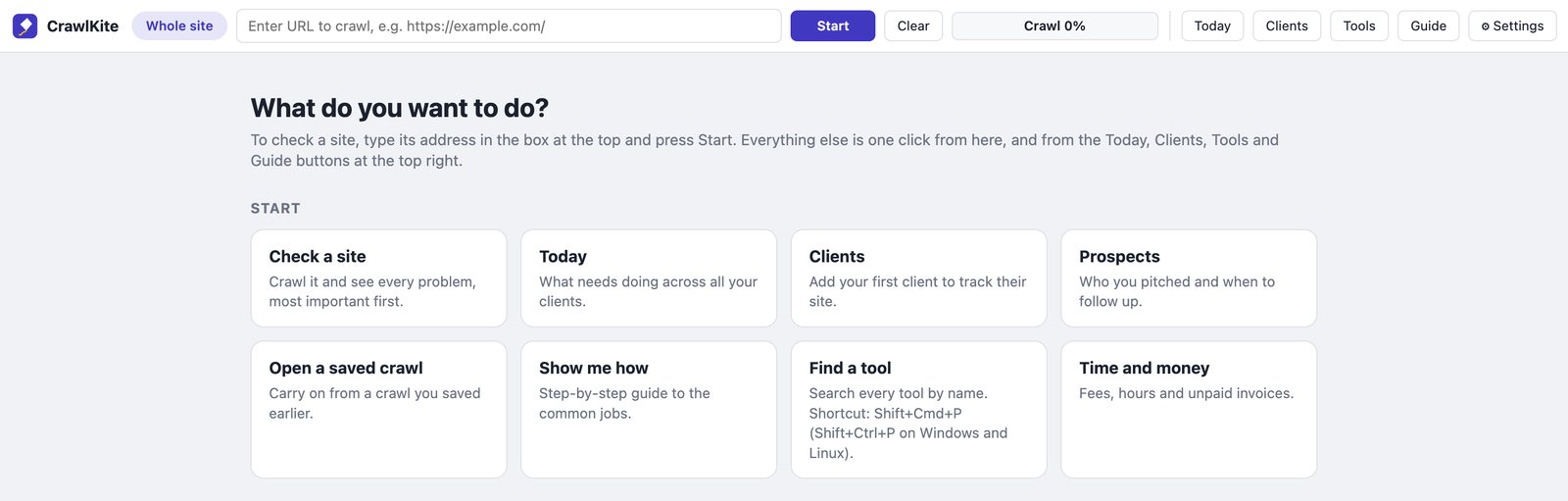
CrawlKite's home screen: an address box with a Start button, and big buttons for Check a site, Today, Clients, Prospects, Open a saved crawl, Show me how, Find a tool, and Time and money.
The home screen. Type an address and press Start, or pick the job you came to do.

From a web address to a finished fix list.

Most crawlers stop at a spreadsheet of problems. CrawlKite keeps going until the work is done.

1

Paste an address and press Start

CrawlKite follows every link on the site, the way a search engine does. It can run each page's JavaScript too, so sites built with Framer, Webflow, React or Next.js are read as visitors see them.

Every page is checked for titles, headings, links, images, redirects, structured data, mobile set-up and more. Spelling and speed checks are there when you turn them on.

Not sure where to start? "What do you want to do?" walks you through common jobs step by step.
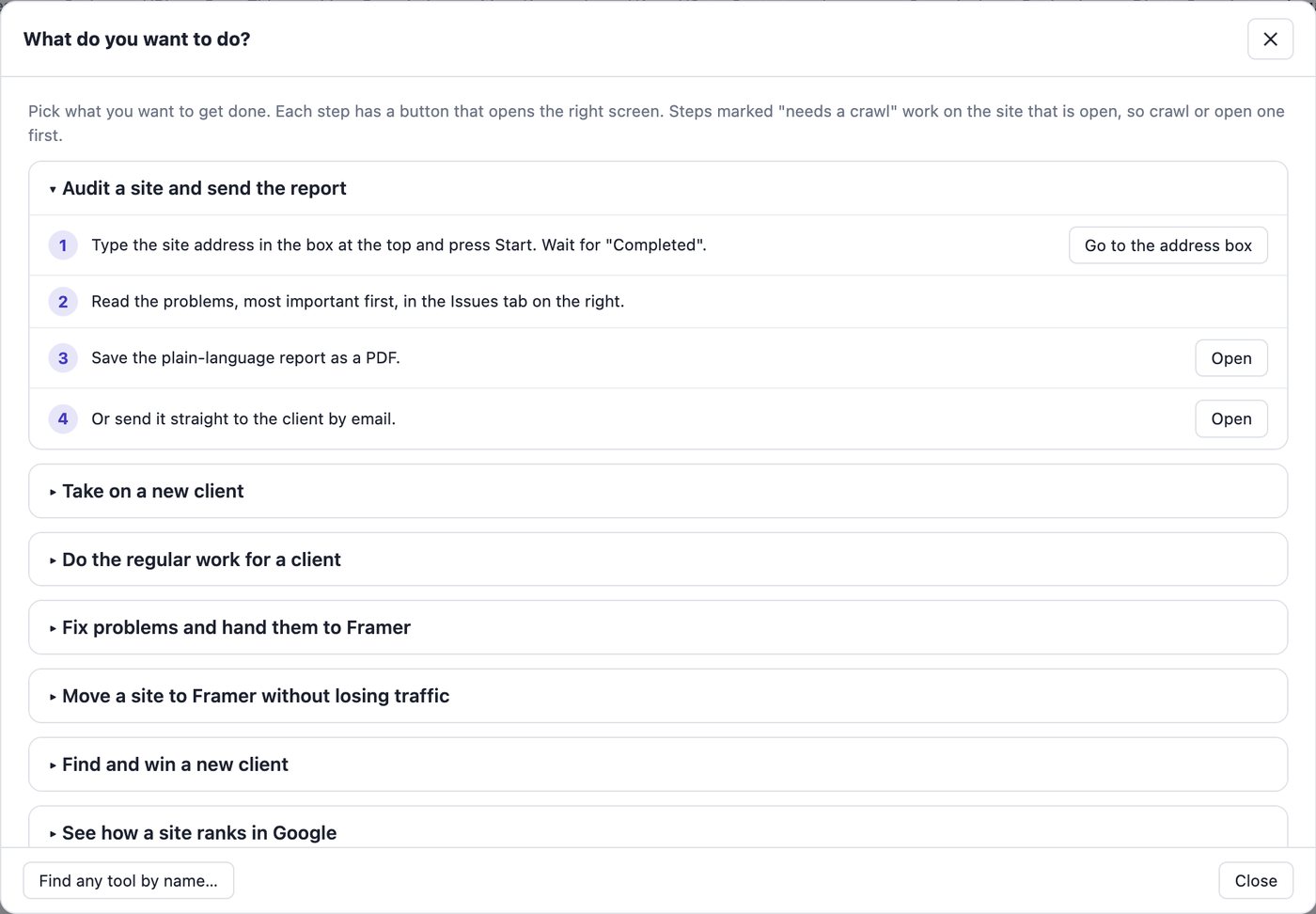
The What do you want to do? guide, open at Audit a site and send the report: type the address and press Start, read the problems most important first, save the plain-language report as a PDF, or email it to the client.
2

Read what is wrong, in plain words

Every check has a short explanation: what it means, why it matters and what to do about it. The health score and "fix these first" list tell you where to start.

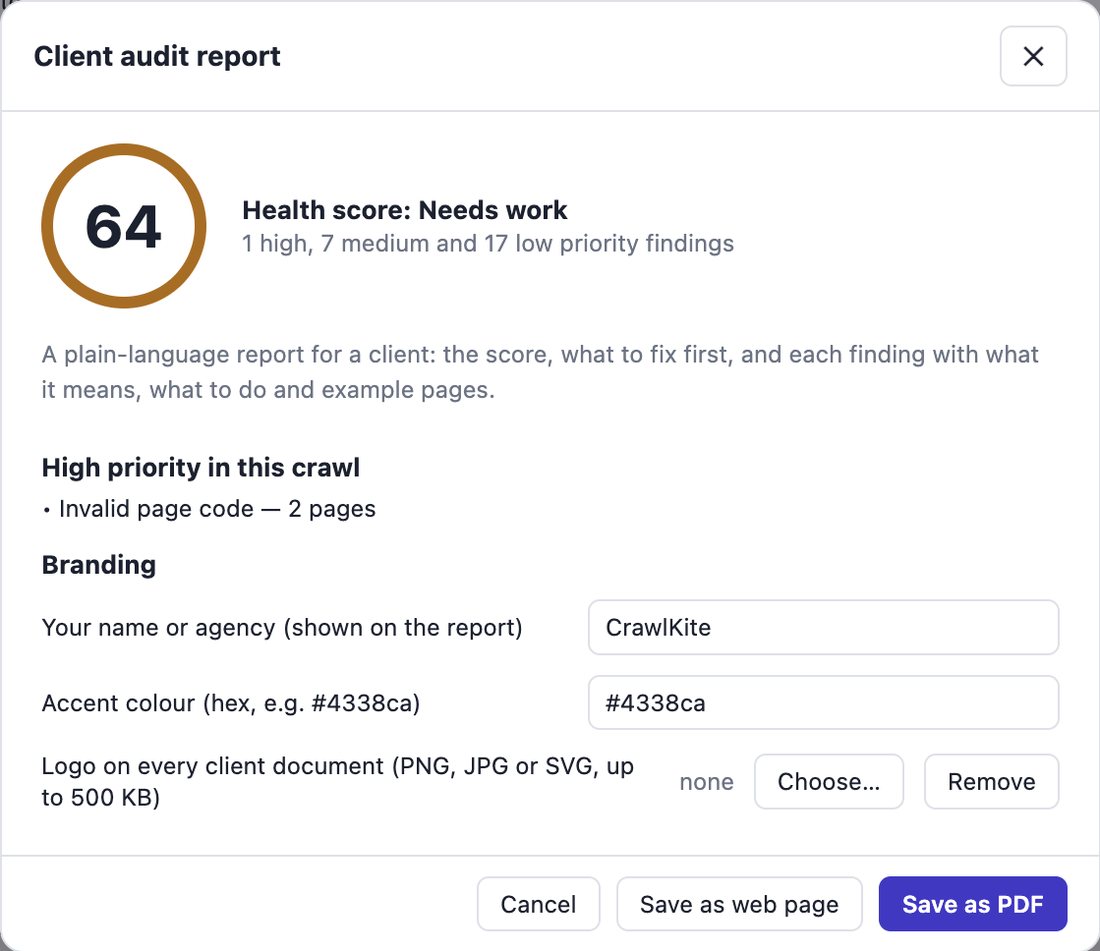
Save the report as a PDF or web page with your own name and logo on it.

The client audit report: a health score of 64, labelled Needs work, with 1 high, 7 medium and 17 low priority findings, and fields for your agency name, colour and logo.
3

Work through it, and see it go down

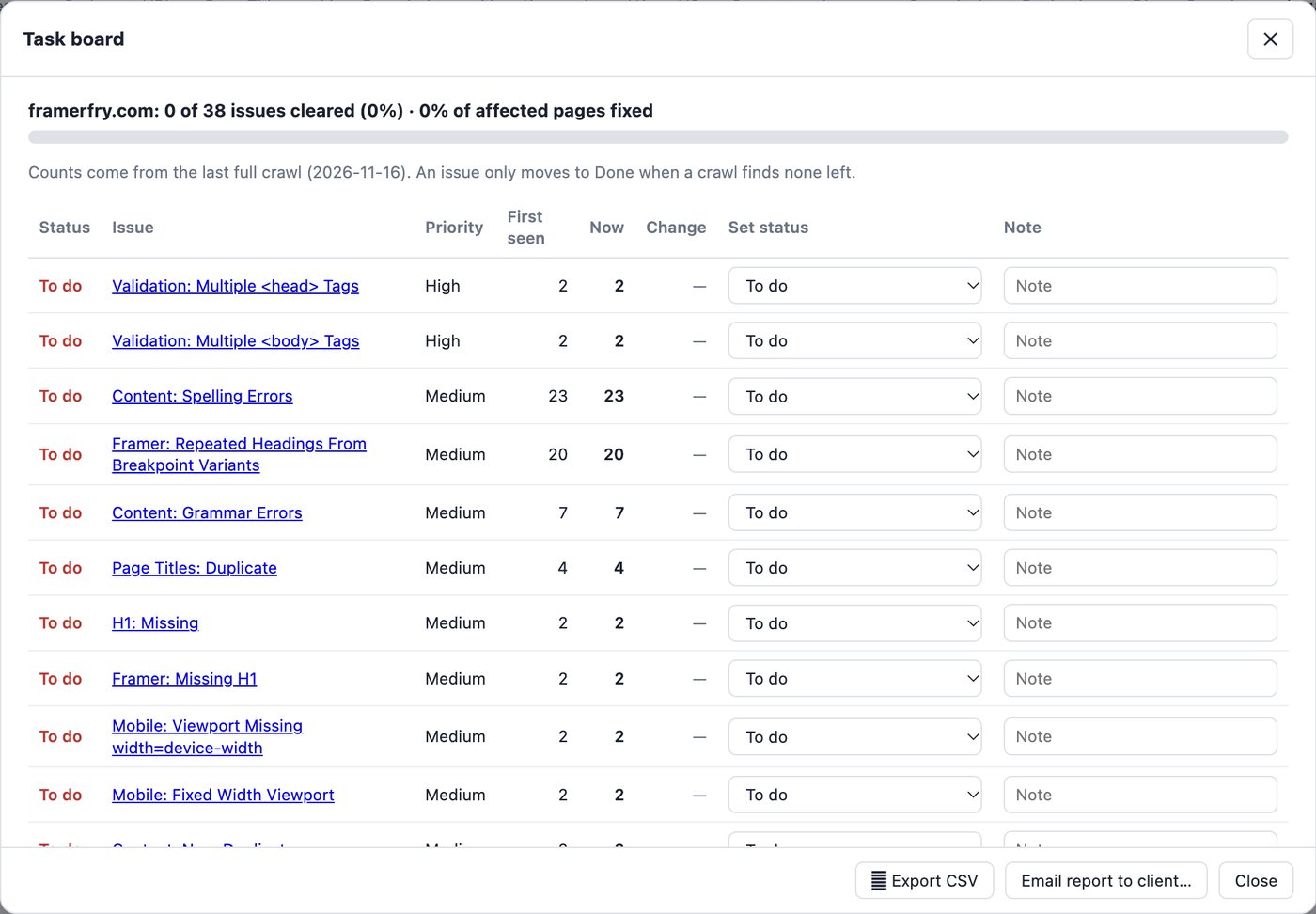
The task board turns issues into a to-do list. Each full crawl updates the counts, and an issue only moves to Done when no page has it any more.

The fix queue lets you write the new page titles and descriptions in one place, or draft them with AI using your own key.

The task board: 0 of 38 issues cleared, and each issue with its priority, the count when first seen, the count now, a status menu and a note.

Everything included. Nothing locked.

There is no paid tier. Services that charge for their own data, like Google's APIs or AI models, work with your own keys, billed by them directly.

Crawl

  • Whole sites or a list of addresses
  • JavaScript rendering
  • Redirects, canonicals, hreflang, robots.txt
  • Structured data and validation
  • Spelling and grammar
  • Core Web Vitals measured on your computer
  • Find any text or code in the source
  • Compare two crawls

Fix

  • Plain-language audit with a health score
  • Task board that tracks progress between crawls
  • Fix queue for titles, descriptions and headings
  • Priority pages: where fixing helps most
  • Site migration redirect map and checker
  • Launch checklist
  • Internal link suggestions
  • llms.txt and structured data generators

Client work

  • Branded PDF and web reports
  • Monthly report and weekly digest
  • Client hub with everything per site
  • Work log, timer and invoices
  • Prospect one-page audit
  • Tracked keywords
  • AI visibility trackerIs your brand named in AI answers?

Connect

  • Google Search Console and AnalyticsWith your own Google project
  • PageSpeed Insights
  • Claude, OpenAI, Gemini, PerplexityWith your own keys
  • Ahrefs, Moz, Majestic
  • Slack, Discord and email alerts
  • MCP server for AI assistants
  • Command line and scheduled crawlsScheduling is Mac only in this beta

How it compares with the best-known crawler.

Screaming Frog's SEO Spider is the standard tool, and a very good one. This is what each version includes, from its own pricing page.

FeatureCrawlKiteSEO Spider, freeSEO Spider, paid
PriceFreeFreeUS$279 per user, per year
Pages per crawlNo set limit; depends on your computer's memory500Unlimited, depending on memory and storage
Save and reopen crawlsYesNoYes
JavaScript renderingYesNoYes
Spelling and grammarYesNoYes
Search Console, Analytics, PageSpeedYes, with your own Google keysNoYes
Scheduled crawlsYes on Mac; Windows and Linux laterNoYes
Task board, client reports, work log and invoicesYesNot on its feature listNot on its feature list

Screaming Frog details from screamingfrog.co.uk/seo-spider/pricing, checked 16 November 2026. Prices and features change; check their page for the current offer. Screaming Frog and SEO Spider are trademarks of Screaming Frog Ltd. CrawlKite is an independent product, written from scratch, and is not connected with or endorsed by Screaming Frog.

Your crawls stay on your computer.

CrawlKite has no accounts, no analytics and no tracking. There is no CrawlKite server for your data to go to.

  • Crawls, clients, reports and keys are saved in a folder on your own computer.
  • It only contacts the sites you crawl (and the sites they link to or load files from), the services you connect yourself, and, unless you turn it off, a public page that says whether a new version is out.
  • Keys you add go straight to that service, never through us.
  • Back up or move your clients, work log and history with one file; saved crawls and settings can go in too. Read the privacy policy.

Questions

Is it really free? What's the catch?

It is free, with no page limit and no paid tier. It is a new product and we want people to use it. The only costs are services you choose to connect, such as an AI model, which bill you directly for what you use.

Why does my Mac or PC warn me when I open it?

Apple and Microsoft charge developers for signing certificates, and this free beta is not signed yet. Your computer asks you to confirm once, then it opens normally. The download page shows exactly what to click.

Is this a copy of Screaming Frog?

No. CrawlKite is a separate program with its own code and its own features, such as the task board, fix queue and client tools. Site crawlers check many of the same things because search engines care about the same things, and they use the same industry terms, such as page titles, canonicals and response codes.

How big a site can it crawl?

There is no set limit. It has crawled a real site with 9,579 addresses, and 60,000 made-up pages in a speed test. Very large sites need more memory; we have not yet tested real sites above 10,000 pages.

Which computers does it run on?

Mac (Apple Silicon and Intel, macOS 13 or later), Windows (x64 and ARM) and Linux (x64 and ARM). The Apple Silicon Mac version is the most tested; the others are new in this beta. Scheduled crawls work on Mac only for now.

Do I need to be an SEO expert?

No. Every finding says what it means and what to do. A short tour runs the first time you open the app, and "What do you want to do?" in the Help menu points you to the right screen.

Check your site in the next five minutes.

Download CrawlKite